Self-hosted
Self-hosted employee scheduling and time clock
Run Shifti on your own server with Docker. Scheduling, time clock, time off and payroll-ready timesheets, with your data kept on your own machine. Free forever for teams of 3 or fewer.
Why self-host your scheduling
Your data stays on your server
Schedules, timesheets, pay rates and employee records live in a Postgres database on your own machine, not ours.
Works on your own network
Run it on an office server or a private network. Your team only needs to reach your server.
You decide when to update
New versions arrive when you pull them, so nothing changes in the middle of a busy week.
Your own email server
Notifications go out through your own SMTP server, under your own domain.
Everything included
Self-hosted Shifti has the full feature set, with no paid tiers or add-on fees. See every feature.
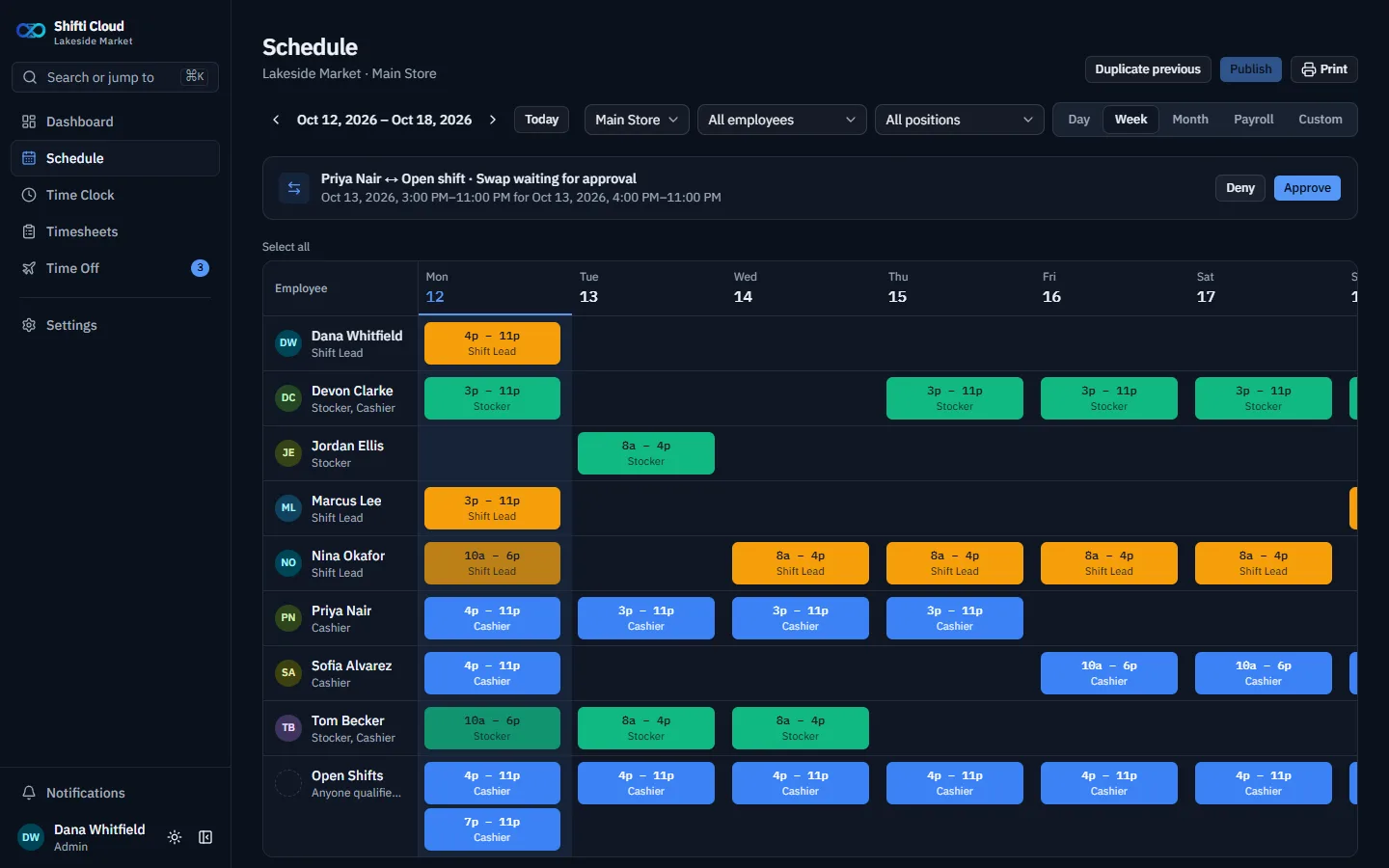
- Weekly scheduling with positions, open shifts and shift swaps
- Time clock with breaks and automatic clock-out
- Time off requests, PTO balances and accrual
- Timesheets with overtime, pay and CSV export
- Holiday calendars per location
- Granular permissions for Managers and Employees
- Equipment tracking and reports
- Announcements (self-hosted only)
What it sends to us
Self-hosted Shifti checks its license with us at start-up and every 30 minutes. That check sends exactly four things: the license key, the number of active users, and the install's ID and secret.
It never sends schedules, timesheets, pay rates or employee details. If our server can't be reached, Shifti keeps working normally for 24 hours. The only other outside lookup is for public holiday calendars, which sends just a country and a year. Anything else, such as your email server, only connects if you set it up.
Running it
You need a server with Docker and Docker Compose. Then it's one file and one command:
curl -O https://shiftiapp.com/docker-compose.yml
docker compose up -d
That starts the app and its database and creates your first Admin account. The install guide covers your domain, port and license key.
Updating
New versions are published when a release is ready. From the same folder, run:
docker compose pull
docker compose up -d
Database changes are applied automatically, and your data stays put. Prefer it hands-off? A tool such as Watchtower can update on a schedule.
Backups
- Admins make backups from Settings → Backup: one file holding every record, uploaded file and setting.
- Each backup is locked with a passphrase you choose. It can't be recovered, so keep it safe and separate from the backups.
- Back up now, or schedule automatic backups and choose how many to keep.
- Backups are stored on the server, so download copies and keep them somewhere else too.
- Restore onto the same install, or onto a brand-new one when moving servers.
Pricing
Free forever for teams of 3 or fewer: the license is issued automatically on first boot. Larger teams pay US$1.00 / CA$1.50 per user per month, or US$0.75 / CA$1.00 billed annually, with the same full feature set. See pricing.
Self-hosted or Shifti Cloud?
Same app, run differently. Rather not run a server? Shifti Cloud is the hosted version.
| Self-hosted | Shifti Cloud | |
|---|---|---|
| Who runs it | You, on your own server | We do |
| Where your data lives | Your server and database | Our servers |
| Updates | When you pull a new version | Automatic |
| Your own SMTP server | Sent by Shifti | |
| Announcements | Included | Not included |
| To start | Free forever for 3 or fewer | 14-day free trial |
Questions
- Is self-hosted Shifti open source?
- No. The Docker images are free to download and run, and free to use for teams of 3 or fewer, but the source code isn't public.
- Does it need an internet connection?
- Only for its license check-in, which runs at start-up and every 30 minutes and sends four things: the license key, the number of active users, and the install's ID and secret. It never sends schedules, timesheets or employee data. If our server can't be reached, Shifti keeps working for 24 hours. Public holiday calendars are fetched by country and year only.
- How do I update it?
- From the folder with your docker-compose.yml, run docker compose pull and then docker compose up -d. Database changes are applied automatically and your data stays put. You can also use a tool such as Watchtower to update on a schedule.
- How do I back it up?
- Admins can make a backup from Settings, then Backup: one passphrase-locked file holding every record, uploaded file and setting. Back up now or schedule automatic backups, and download copies to keep somewhere other than the server. A backup can be restored onto the same install or a brand-new one.
- What happens if my license lapses?
- Shifti shows a lock screen instead of deleting anything. Add a valid license key and restart, and you're back where you left off. Teams of 3 or fewer never need a key.
- Can I move to Shifti Cloud later?
- Get in touch and we'll talk through moving your team to Shifti Cloud, our hosted version, if you'd rather not run a server any more.