Shifti for Restaurants & cafés
Restaurant scheduling that keeps up with the rush
Build front- and back-of-house schedules on one grid, let servers and cooks swap or pick up shifts without a group-text scramble, and see who's on the clock before service starts.
14-day free trial, no credit card required. Built in Canada.
What Shifti fixes
Last-minute swaps and call-outs
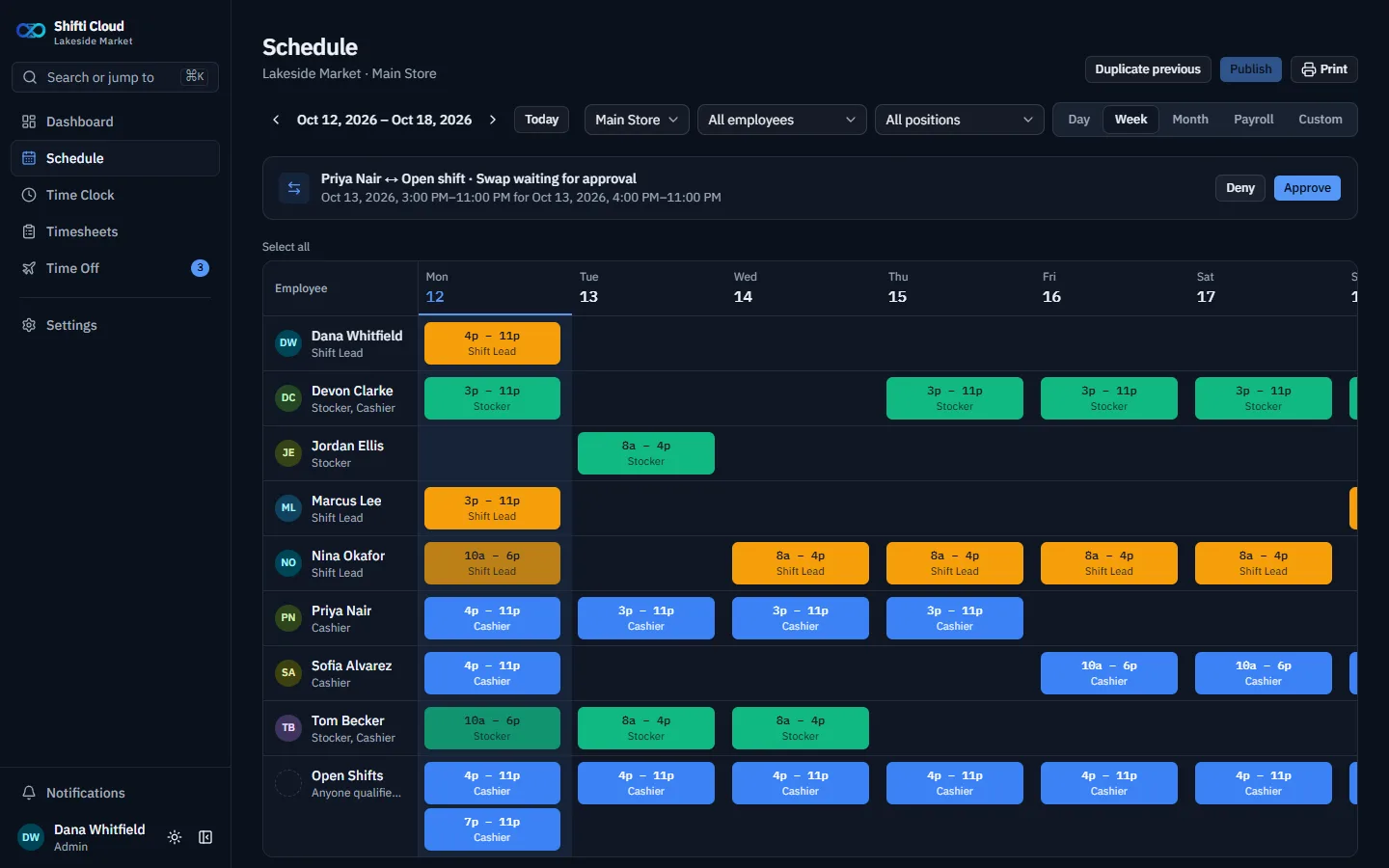
Staff request a swap with a coworker or claim an open shift right in the app. You approve it with automatic conflict checks, and sick calls and no-call/no-shows are logged against the employee's record.
Overtime that sneaks up on you
Set a weekly overtime threshold and multiplier, even a different threshold per position. Timesheets split regular and overtime hours, and show pay once wages are entered.
Schedules lost in group chats
Publish the week and everyone sees it on their phone, with notifications when shifts change. Print it for the back office wall if you still like paper.
The features you'll use most
Positions in color
Server, cook, host, and dish shifts are easy to tell apart at a glance.
Copy last week
Copy or bulk-edit shifts instead of rebuilding a similar week from scratch.
Open shifts
Post a shift without an owner and let qualified staff claim it.
Time clock with breaks
Clock in, take a break, clock out. Auto-clock-out catches anyone who forgets.
Early clock-in window
Decide how early staff can clock in against a shift.
Payroll-ready timesheets
Regular and overtime hours per pay period, exported as a CSV.
That's not the whole list. See every feature, all included in every plan.
US$1.50 / CA$2.00 per employee per month
Every feature included, no add-on fees, no contract. A team of 18 is US$27.00 / CA$36.00 a month on Shifti Cloud, billed annually (US$1.70 / CA$2.50 per employee billed monthly).
Rather run it on your own server? Self-hosted Shifti is free for teams of 3 or fewer. In Canada? See overtime rules by province.
Questions
- Can staff swap shifts without the manager setting it up?
- Yes. An employee proposes a swap, the coworker accepts, and a manager approves it. Shifti checks for conflicts before the swap takes effect.
- Does Shifti handle overtime?
- Yes. You set a weekly overtime threshold and multiplier, and each position can have its own threshold. Timesheets show regular and overtime hours separately.
- Can I run more than one restaurant?
- Yes. Add each location with its own positions and holiday calendar, and schedule staff across them.
More answers in the FAQ, or contact us.