Dashboard
Your dashboard is what you land on after signing in — a summary of what matters to you right now, not a full replacement for the Schedule or Time Clock pages.
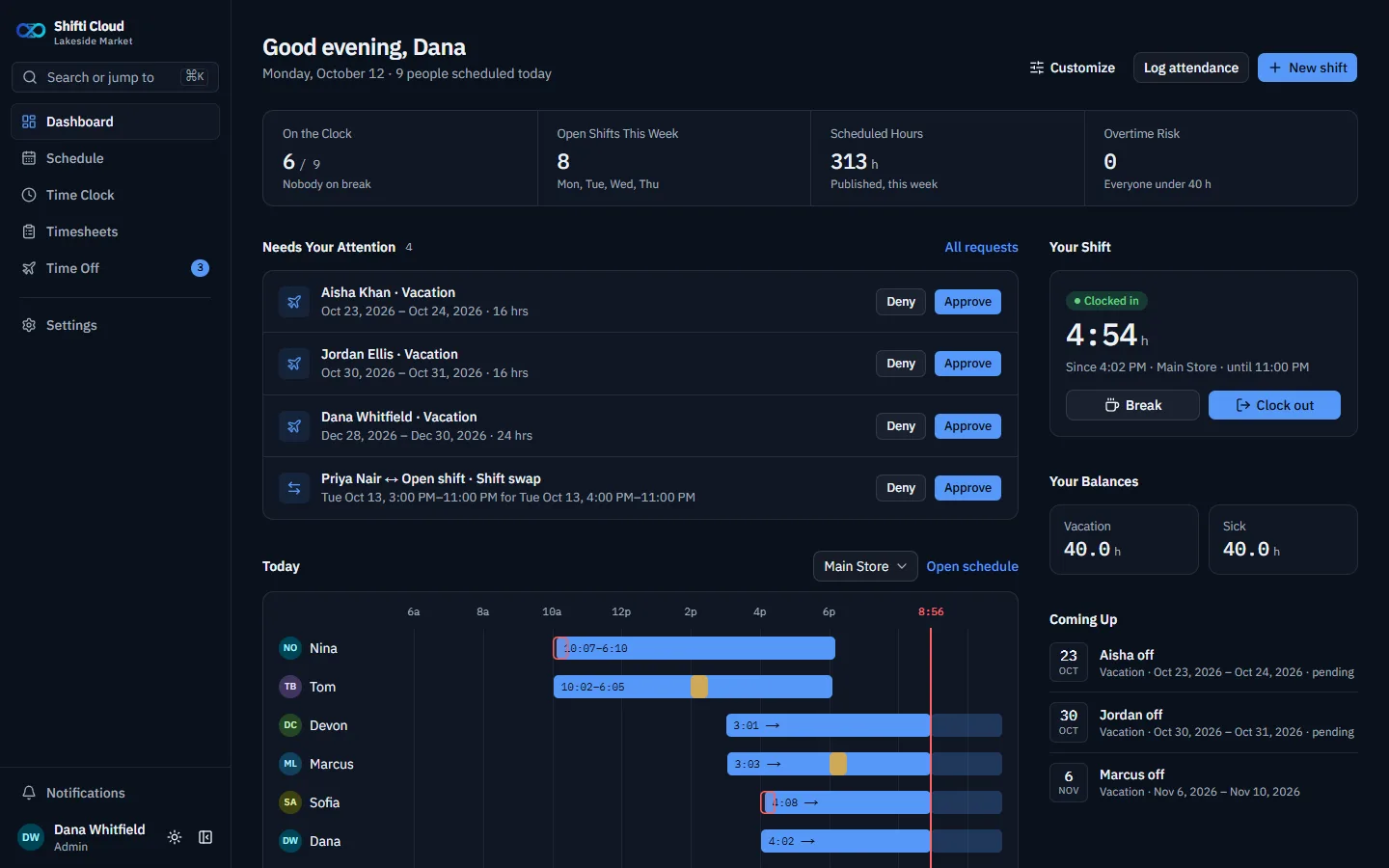
Shown in Shifti Cloud; self-hosted Shifti's dashboard looks the same, plus an Announcements section.
What you'll see
A greeting with how many people are scheduled today, then: Today (a timeline of who's working, with a location switcher), Your Shift (your clock status and today's or next shift), Your Balances (Vacation and Sick), and Coming Up (upcoming holidays). Managers and Admins also see a Team Stats strip (who's on the clock, open shifts, scheduled hours, overtime risk) and Needs Your Attention — pending time-off requests, swaps, and missed clock-ins waiting on you.
Customizing it
The dashboard is per-person. Use Customize to show or hide sections you do or don't care about — your choice is your own and doesn't affect anyone else's.
Next: Schedule